For builders, subbies & renovation teams

Construction schedule, site diary & time clock — one app.

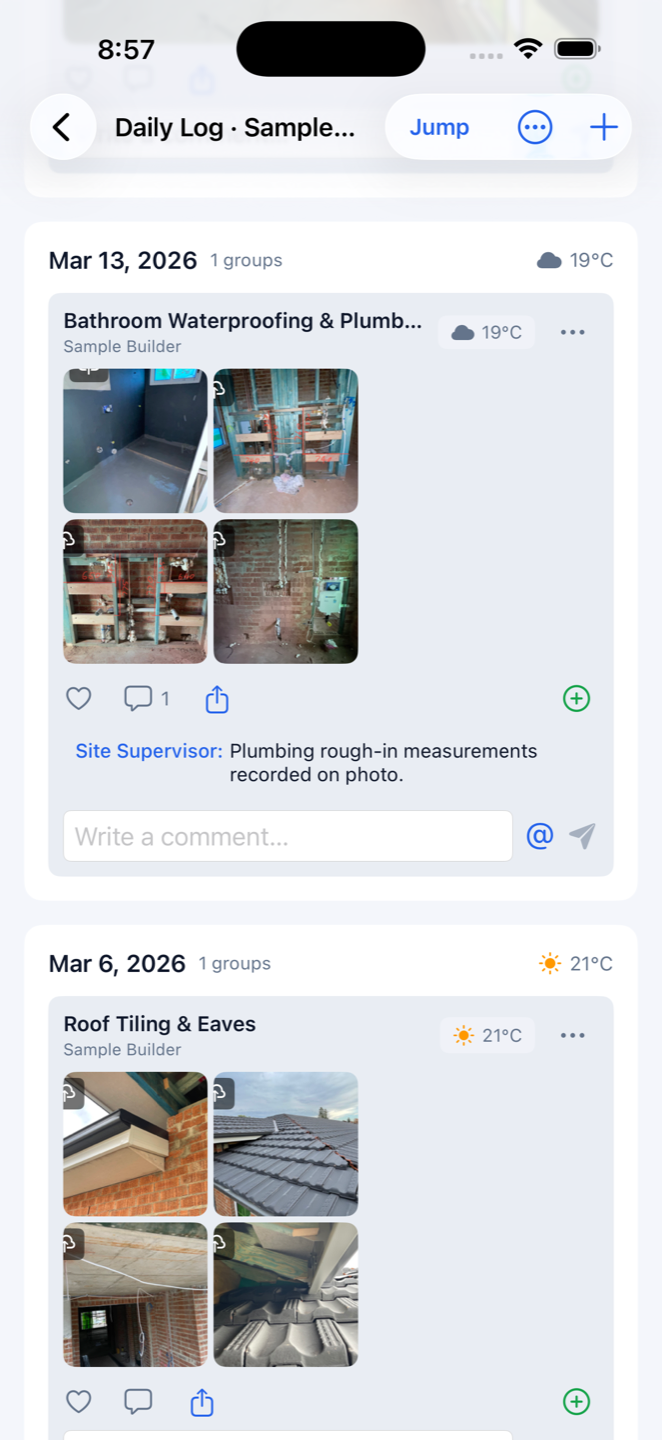
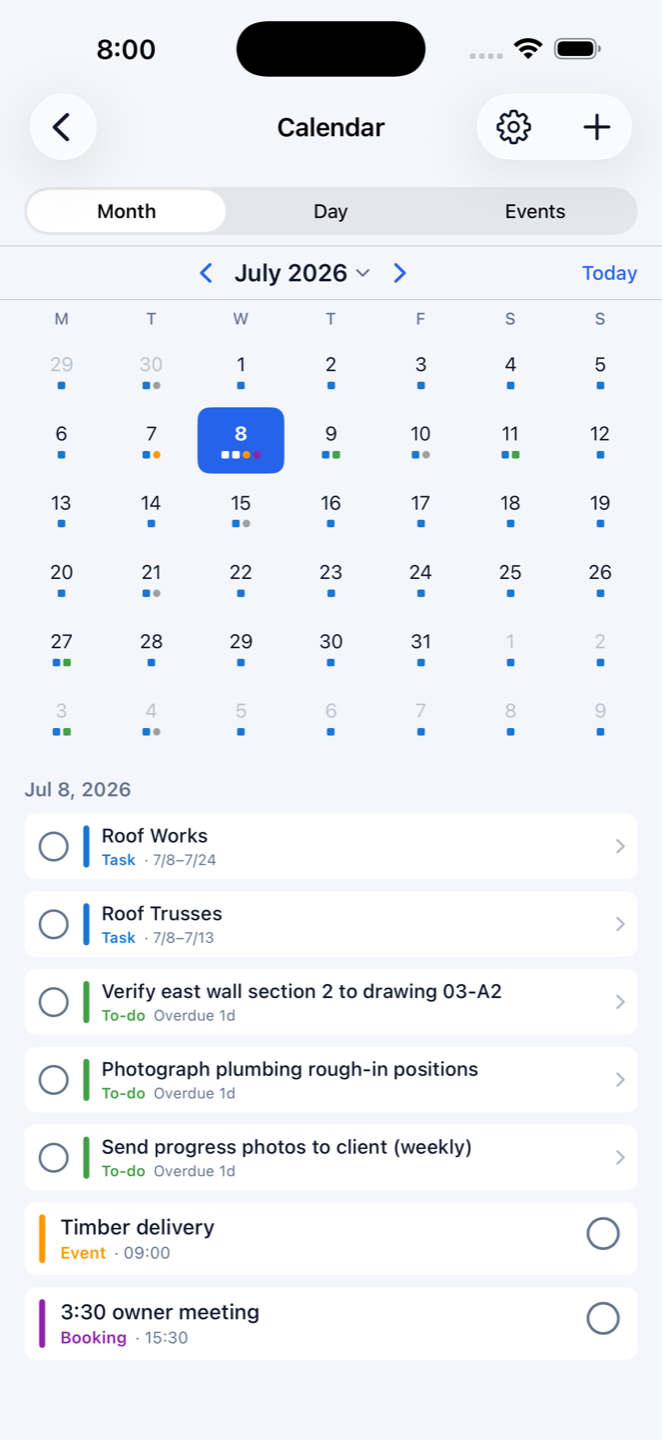
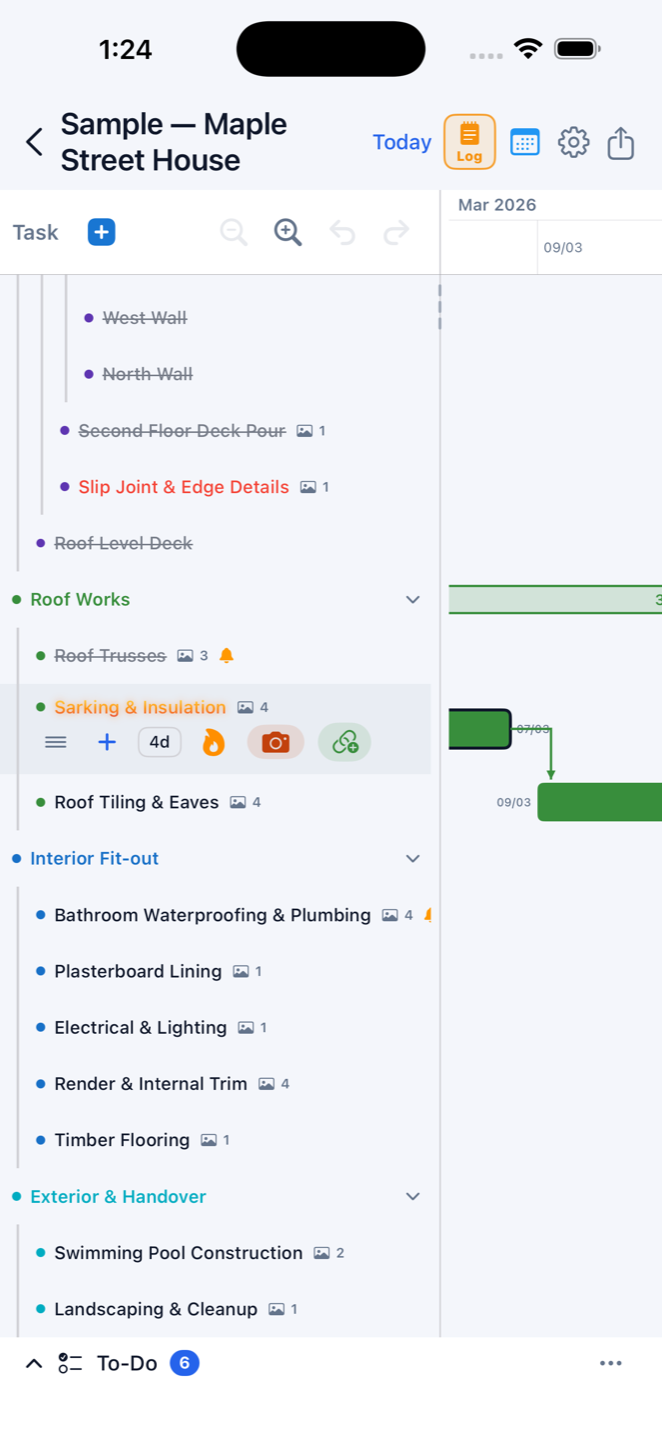
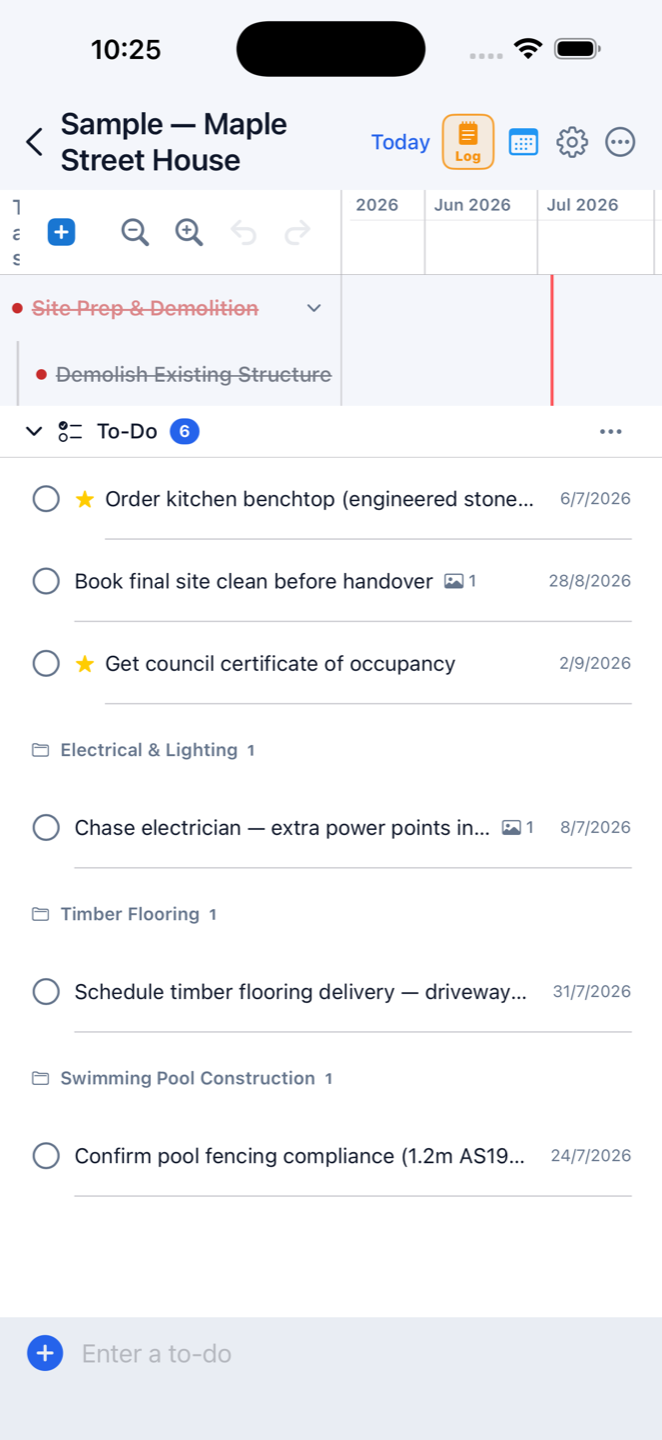
Construction Gantt is the all-in-one app for builders, subbies and owner-builders: a drag-and-drop Gantt chart that reschedules itself, a photo site diary, to-do & punch lists, reminders and a GPS time clock — on iPhone, iPad & Mac, on site or off.

Download on theApp Store
Plan your first build in minutes
iPhone, iPad & Mac
Construction Gantt — schedule of a house build on iPhone

Built for construction — and just as at home on renovation, landscaping, civil and event-build jobs: anything with stages and a site record to keep.

Watch & learn

Build your first schedule and team.

Make a Gantt chart on your phone

A quick start: lay out your first day on the Gantt chart, then set up your team.

More tutorials on YouTube →
Core features

Seven tools. Tap any phone to explore.

Plans

From $2.99 a month.

Every plan gives you unlimited projects and tasks, synced across iPhone, iPad and Mac — billed monthly through the App Store, cancel anytime. Pick the storage and seats your jobs need.

Compare all plans

Every plan is unlimited projects & tasks — the differences are storage, seats and how invites work, and every plan starts with a 7-day free trial. On Unlimited Planner and Pro, people you invite get 30 days free each; on Team and up, invited members stay as long as your subscription is active. Business and Enterprise add the Project Story keepsake book with AI writing. Contractors and clients never take a seat, so invite as many as you like.

Start here
Unlimited Planner
$2.99/mo AUD
  • 1 seat
  • 200 MB photo & video storage (≈ 500 photos or 20 min video)
  • Unlimited projects & tasks
  • 7-day free trial
  • Invite collaborators — 30 days free each
Pro
$12.99/mo AUD
  • 1 seat
  • 2 GB photo & video storage (≈ 5,000 photos or 200 min video)
  • Unlimited projects & tasks
  • 7-day free trial
  • Invite collaborators — 30 days free each
Most popular
Team
$49.99/mo AUD
  • 5 seats
  • 15 GB photo & video storage (≈ 37,500 photos or 1,500 min video)
  • Unlimited projects & tasks
  • 7-day free trial
  • Team collaboration — invited members unlimited
Business
$129.99/mo AUD
  • 15 seats
  • 60 GB photo & video storage (≈ 150,000 photos or 6,000 min video)
  • Unlimited projects & tasks
  • 7-day free trial
  • Team collaboration — invited members unlimited
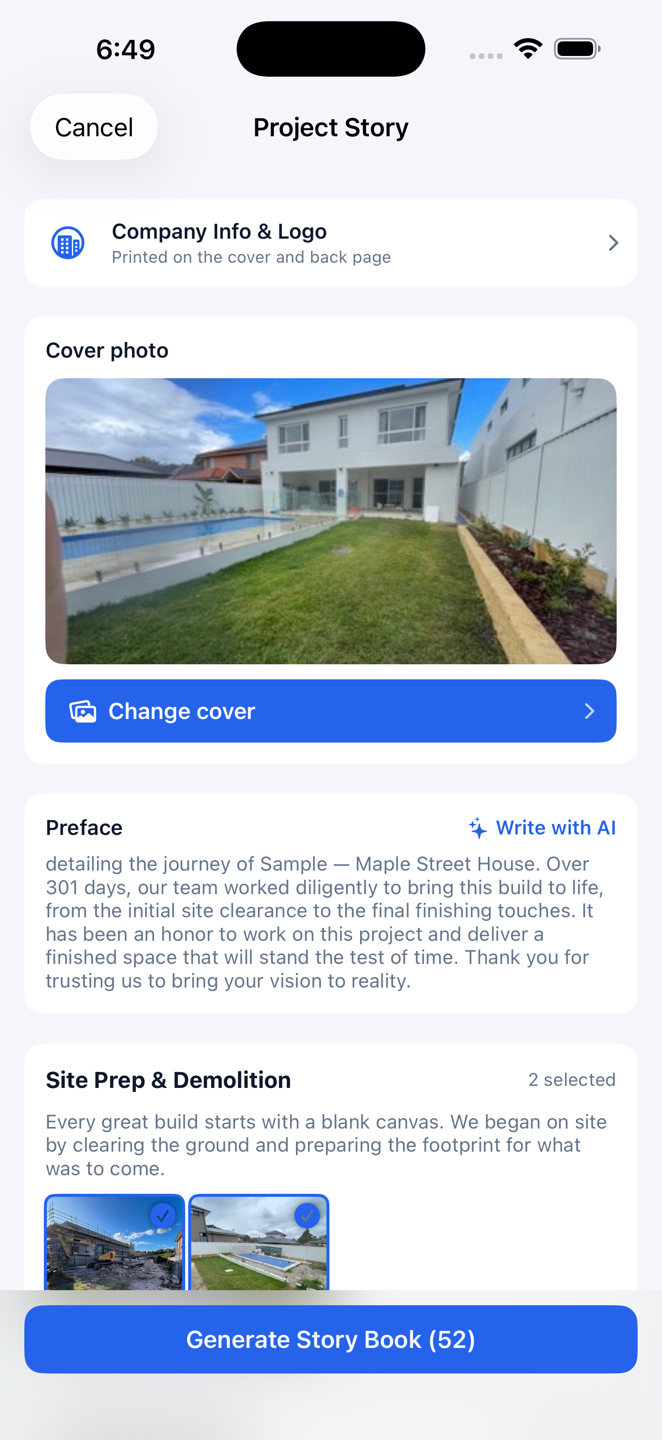
  • Project Story keepsake book + AI writing
Enterprise
$199.99/mo AUD
  • 30 seats
  • 200 GB photo & video storage (≈ 500,000 photos or 20,000 min video)
  • Unlimited projects & tasks
  • 7-day free trial
  • Team collaboration — invited members unlimited
  • Project Story keepsake book + AI writing
Need 30+ seats or custom storage? Contact us for Custom →

Subscriptions are billed monthly in AUD via the App Store — cancel anytime. Storage counts photos + videos across all your projects (1 GB ≈ 2,500 photos or ~100 min of video); deleting frees space instantly. Anyone on their own paid plan can join your company without using a seat.
FAQ

Questions builders ask.

How much does Construction Gantt cost?

Every plan starts with a 7-day free trial, so you try it before you pay — billed monthly via the App Store in AUD, cancel anytime. There is no free plan: after the trial you subscribe, or join someone's team. Plans: Unlimited Planner (A$2.99/mo), Pro (A$12.99/mo), Team (A$49.99/mo), Business (A$129.99/mo) and Enterprise (A$199.99/mo). Every plan has unlimited projects & tasks and all the core tools; the differences are storage, seats and how invites work. Contractors and clients never use a seat.

Do I pay for everyone I invite?

Not necessarily. Contractors and viewers (your clients) never take a seat — invite as many as you like; only internal members (owner, managers, employees) use seats. How long an invited person can use the app depends on your plan: on Team, Business or Enterprise they keep access for as long as your subscription is active; on Unlimited Planner or Pro each invited person gets 30 days free, then needs their own subscription. Anyone who already has their own paid plan joins without using your seat.

What happens if I cancel during the trial?

Cancel within the 7-day trial and you are not charged — but the trial ends immediately. From then until the original trial date the app becomes read-only: your projects, photos and PDF exports are all still there, you just can't add new content. If you cancel after you've started paying, you keep full access until the end of the period you've paid for.

What devices does it run on?

iPhone and iPad (iOS 17 or later) plus Apple silicon Macs (macOS 14 or later), in English and Simplified Chinese. There is no Android or web version.

Can it track crew time on site?

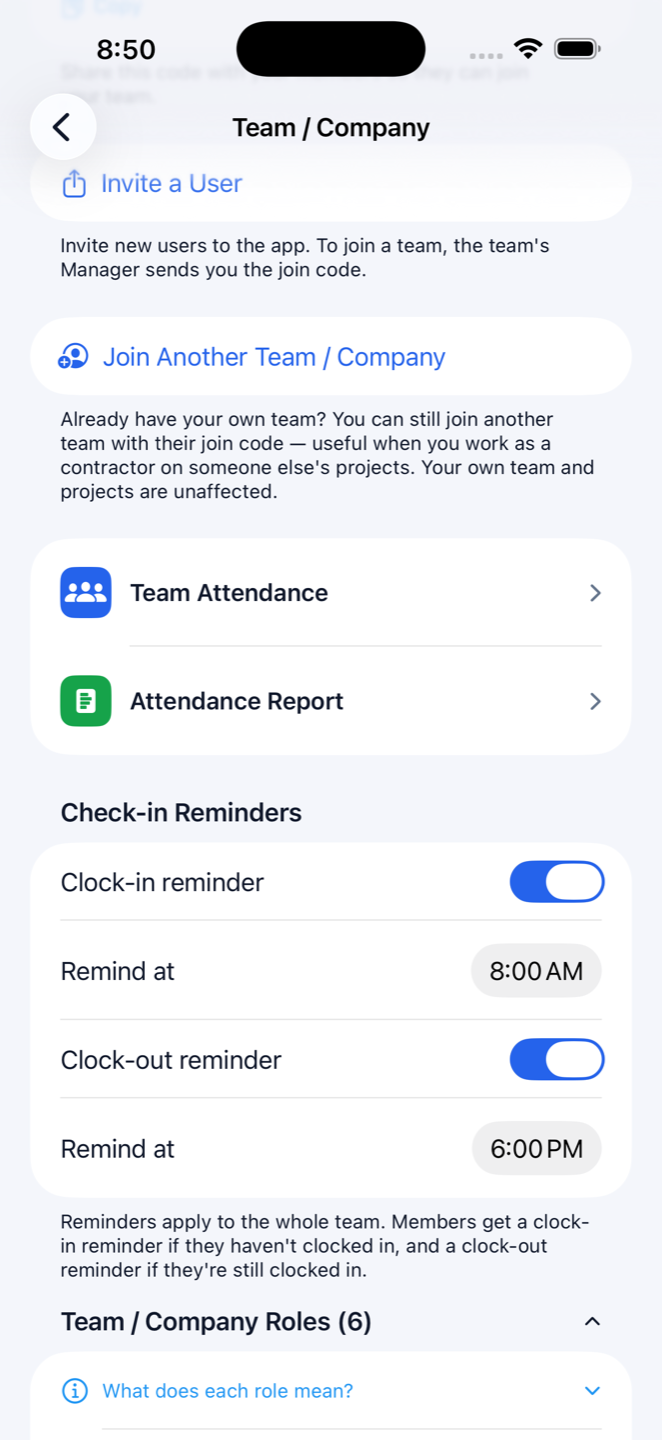
Yes. Each project has one-tap GPS clock-in and clock-out, tracks on-site time live, and produces attendance reports you can filter by date, project or member and export as a PDF.

Can I export a progress or daily report?

Yes. Export the Gantt chart and the photo site diary to PDF (by date range) or print them to hand clients and inspectors a progress or daily report.

Does the schedule reschedule automatically?

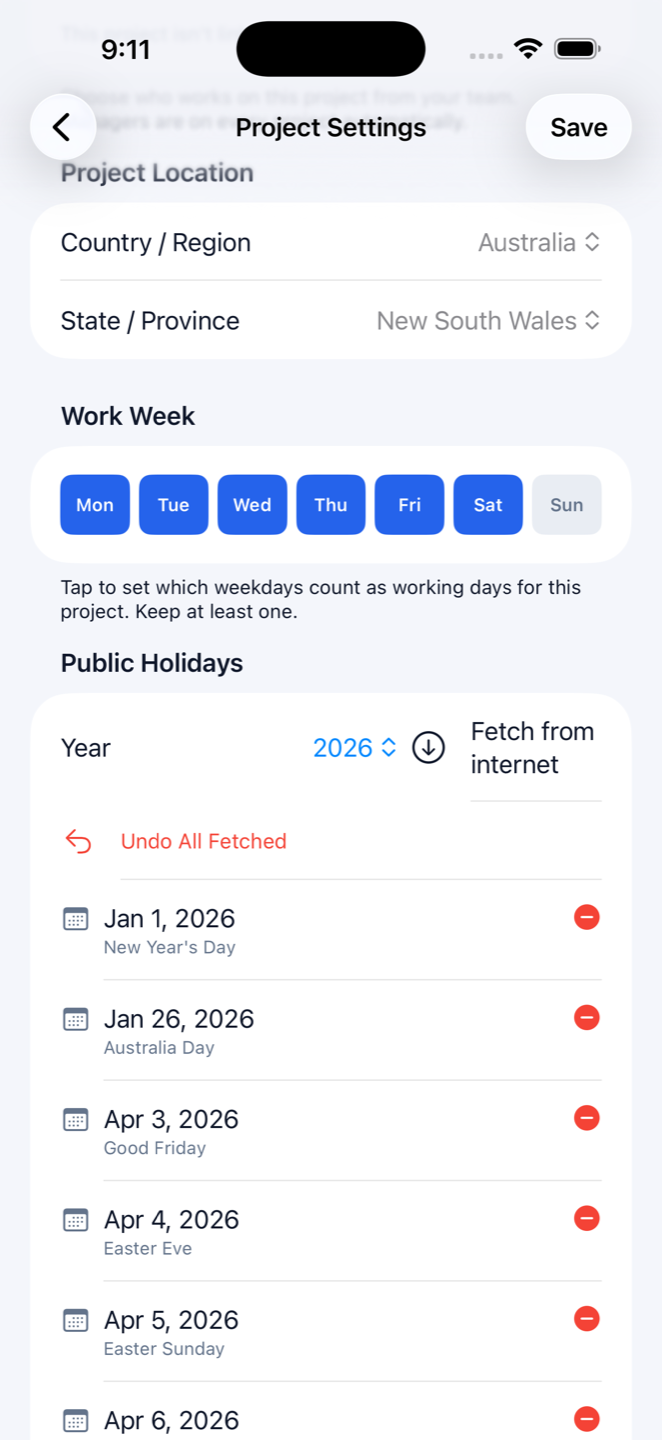
Yes. Link tasks and move one — every dependent task reschedules itself automatically, skipping weekends and the public holidays for your country and state.

Do contractors and clients cost extra seats?

No. Contractors and clients never use a seat — invite as many as you like. Only internal members (owner, managers, employees) count toward your plan's seats.

Does it work offline?

Yes. Changes save on your device instantly and sync to the cloud automatically when you are back online.

Put your next build on rails.

On the App Store — iPhone, iPad & Mac. Your first schedule drafted in minutes; plans from $2.99/mo, cancel anytime. 7-day free trial.

Download on theApp Store