Site Diary
Daily Log
One page per day recording site progress — photos, notes and weather, filed against the work they belong to.
Auto weatherGPS & time-stampComments & @mentionsExport PDF
One page per day recording site progress — photos, notes and weather, filed against the work they belong to.
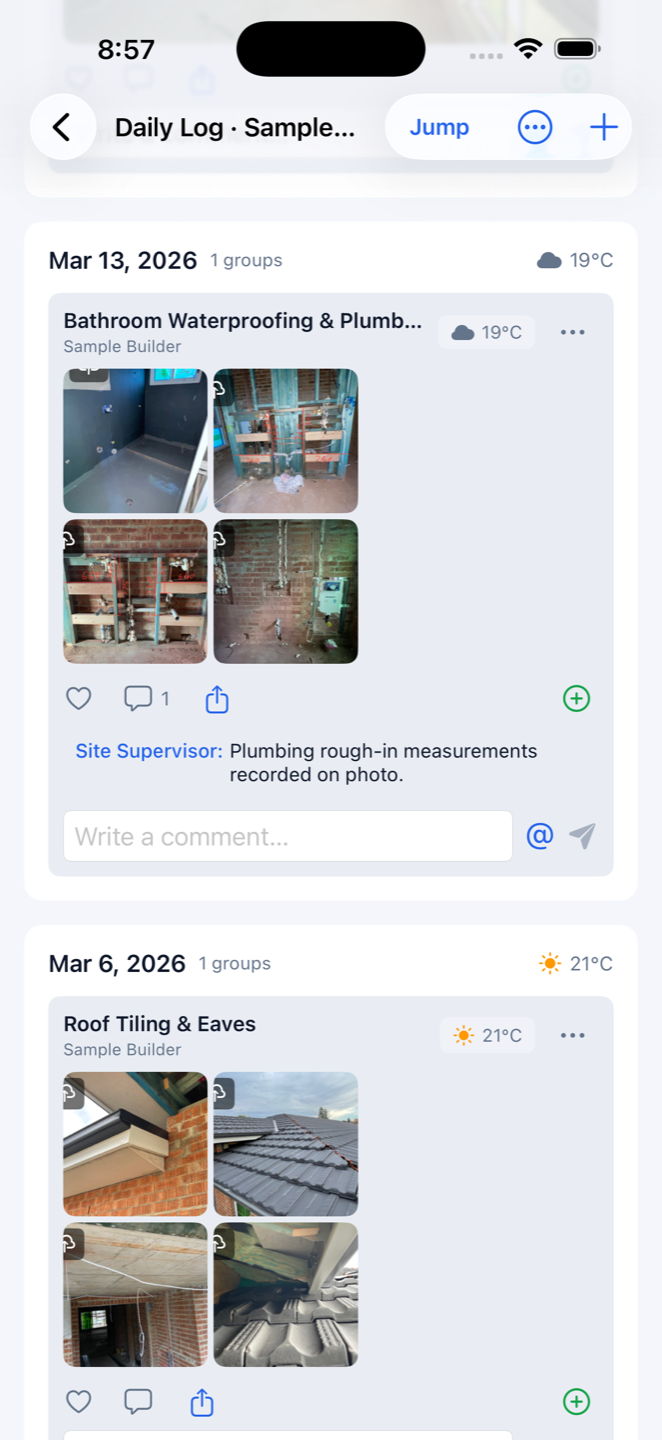
A paper site diary gets wet, a camera roll gets lost. Construction Gantt is a construction daily log app that keeps one page per day per project: tap the plus to shoot a photo, pick from the album or write a note — and the weather logs itself, with conditions, temperature, rainfall, wind speed and direction stamped on the day. When a rain delay becomes a variation claim, the evidence is already filed.
Attach each record to a specific task — waterproofing, frame inspection, garage slab — or to the project's general log, and jump to any date. The crew can like, comment and @mention each other on photo sets; whoever is tagged gets a push. Photos taken on to-dos land in the diary automatically the day the to-do is completed.
Pick a date range and export the diary as a PDF, or print it straight from the phone — a ready-made daily report for owners, certifiers, building inspectors or the bank's progress-payment inspection. No retyping, no collating photos the night before.
The project media library gathers every photo and video in one place, filterable by task. Multi-select to share, download to the camera roll or delete. A built-in editor adds arrows, boxes, circles, text and freehand marks for snag callouts; videos compress automatically to 1080p so storage goes further.