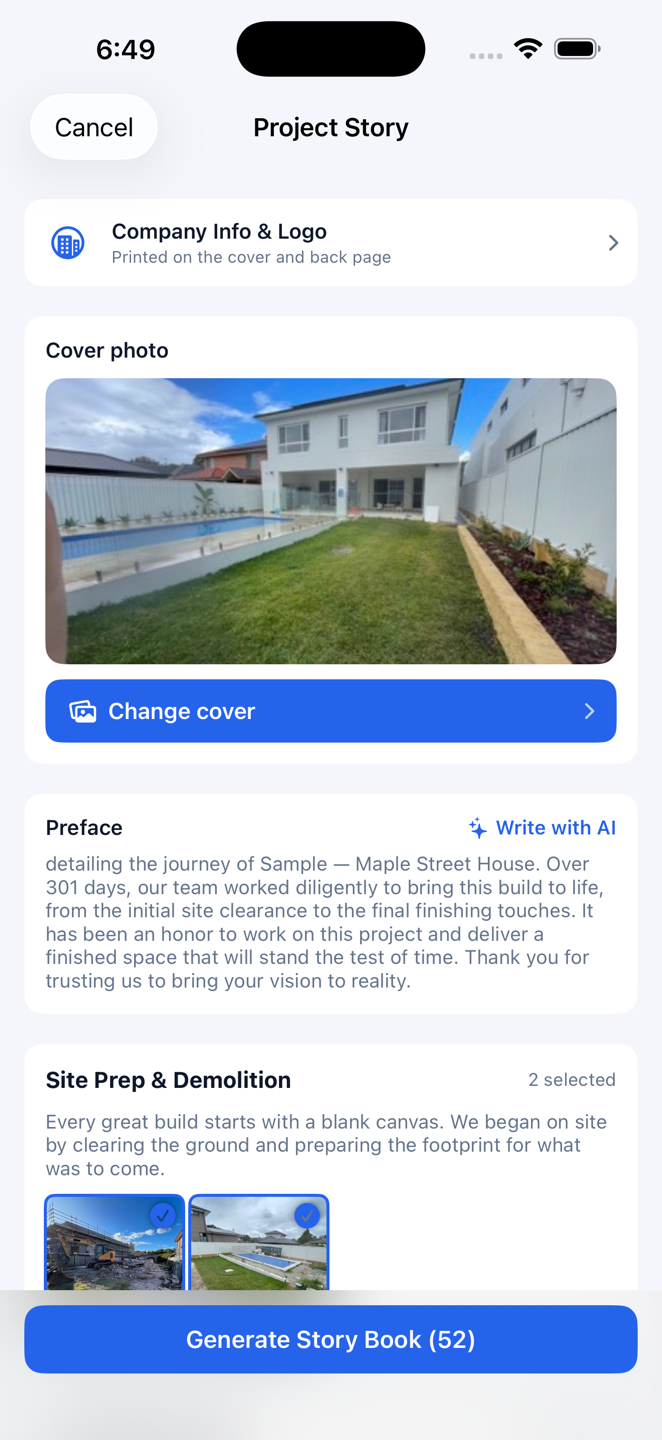
Project Story
Project Story
Turn a whole project — its photos and site log — into a printable PDF keepsake book, auto-organised into chapters, to hand the client at handover.
Auto-chapteredAI writingPrintable PDFBusiness plan & up
Turn a whole project — its photos and site log — into a printable PDF keepsake book, auto-organised into chapters, to hand the client at handover.
By the end of a build you're sitting on hundreds of site photos and a full site log — and they usually just stay on a phone. Project Story turns all of it into a printable PDF keepsake book: a cover, a foreword, chapters that follow the build stage by stage, a caption under every photo, and a contact card on the back. Hand it to the client at handover and the job is remembered the way it deserves to be. It's available on the Business and Enterprise plans.
Tap once and the AI reads the whole project — the photos, the comments, the site log — and writes the foreword, the chapter openers and the photo captions as one connected story, not a pile of scattered notes. Every sentence stays yours to edit. On privacy: your project name and address are replaced with placeholders before anything leaves the device, so they're never sent to the AI provider.
Set your company logo and contact details once and they print automatically on the keepsake book's cover, the back-page contact card, and the header of your Gantt chart PDF exports. A white-background logo is cleaned up on its own — the background is removed, and where it would be hard to read on a dark cover it's turned into a single cream tone.
Choose the light “paper” cover for a warm, printed-book feel, or the dark “full-bleed photo” cover to lead with your best shot. Photos come pre-selected — deselect the ones you'd leave out — and the cover image can come from the project media library or your camera roll. Export the PDF or send it straight to a print shop.