Calendar & Reminders
Calendar & Reminders
Month, week, day and agenda views of everything scheduled, with reminders that pop on your lock screen.
Month / Week / Day / Agenda15 ringtonesLock-screen alertsHolidays on the calendar
Month, week, day and agenda views of everything scheduled, with reminders that pop on your lock screen.
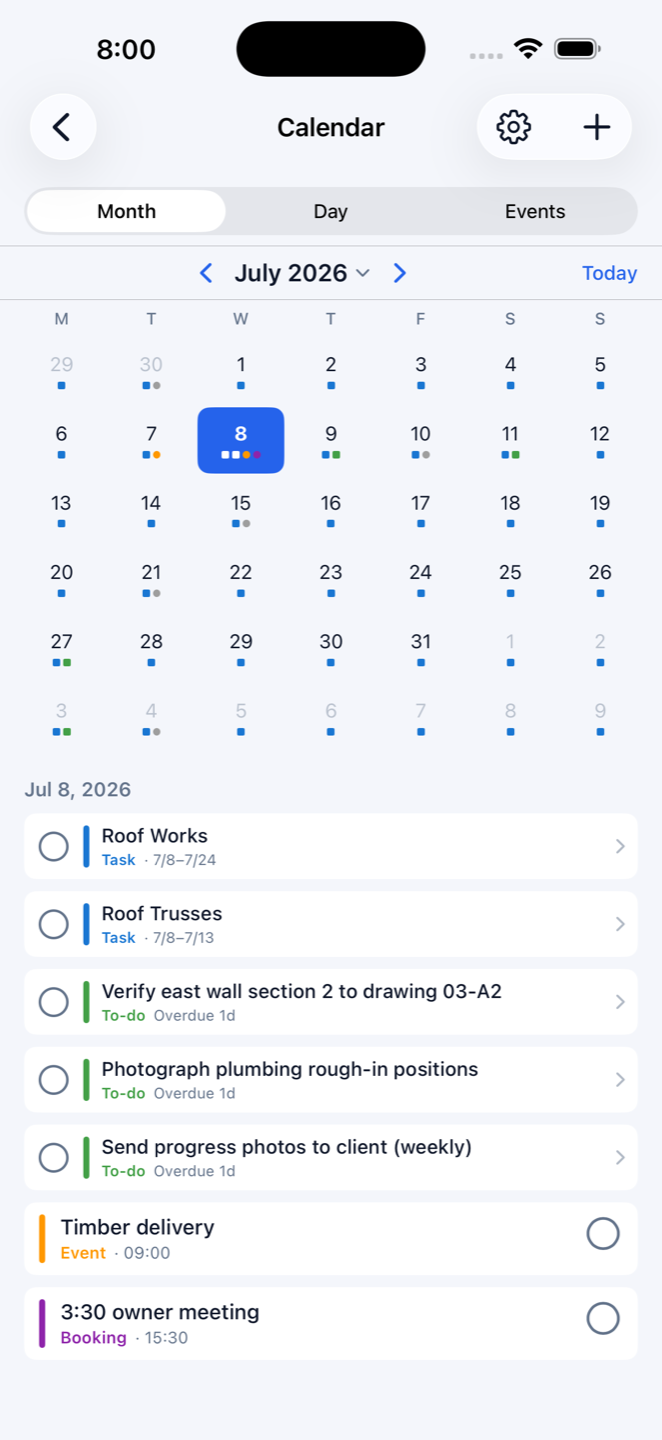
Frame inspection Tuesday 7am, truss delivery Wednesday, client walkthrough Friday — a build runs on appointments as much as tasks. Construction Gantt's calendar shows them all in month, week, day or agenda view, with quick month jumps. Your Gantt tasks, to-dos and public holidays appear on the same calendar, each behind its own toggle, so the week you're looking at is the whole week.
Set alerts on time, or 15 minutes, one hour or one day ahead. Choose from 15 alarm sounds — try them before you pick — shared across calendar events and to-dos. The lock-screen notification shows the actual content, and tapping it opens that event or to-do's edit page directly: see it, change it, done.
Events carry a title, category, date and time, an all-day switch and notes, and can be marked complete — anything missed shows how many days it's overdue. Four built-in categories (Task, To-do, Event, Booking) come recolourable, and you can create your own with a name and colour: inspections, deliveries, council, whatever your jobs need. Set a default category and default reminder once, and new events inherit them.